
 Jan 08,2026
  By Dave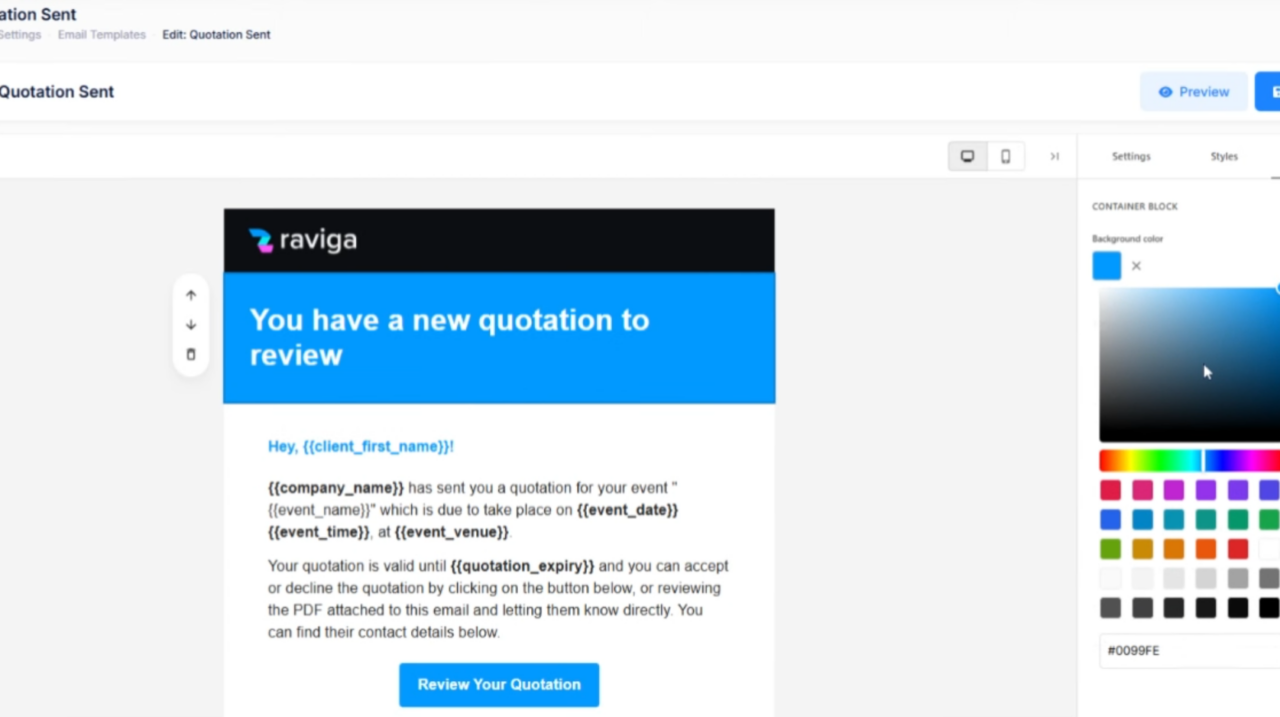
Keep every client conversation in one place — and finally customise those email templates.
If you’ve ever lost track of a client conversation because it was buried in your personal inbox, copied across WhatsApp, and referenced in a thread you can’t find anymore — this update is for you.
We’ve completely overhauled how Raviga handles communication, and added a few quality-of-life improvements that should make managing your events feel a lot smoother.
Custom Email Templates
Previously, email templates in Raviga were fixed — you could use them, but you couldn’t change them. That’s no longer the case.
You now have access to a full template editor where you can customise every email that goes out to your clients. Whether it’s your quotation email, contract reminder, or payment confirmation — you can now make it sound like you, not like software.
You’ll also find a new email signature setting in the templates screen. Any email sent through Raviga (or replied to from your own inbox) will automatically include your configured signature. Professional, consistent, and one less thing to remember.
Unified Communication Hub
This is the big one.
Every event in Raviga now gets its own dedicated email thread. When you send a quotation, contract, or invoice, it goes out from a unique event-specific address. When your client replies, that response lands in two places:
- Inside Raviga — attached to that specific event, so you can see the full conversation history at a glance
- In your regular email inbox — so you never miss a message
Here’s where it gets useful: you can reply from either place. Respond directly from your email client, or compose a message from within Raviga — both are captured and logged against the event automatically.
No more hunting through inboxes. No more “did I reply to that?” moments. Every message, every document, every back-and-forth — all in one place.
Event Workflow Stepper
We’ve also made it easier to see where each event stands.
Previously, moving an event through its lifecycle meant jumping to the Financial tab and clicking through status changes. It worked, but it wasn’t intuitive.
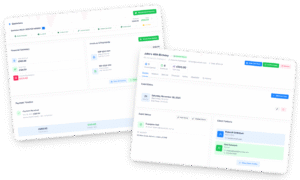
Now, when you open an event, the Details tab has been renamed to Overview, and it features a new visual workflow stepper at the top. You can immediately see:
- Where the event currently sits in the process
- What the next step is
- How to move it forward
It’s a small change that makes day-to-day event management feel a lot clearer.
Summary
Version: v20260108
| What’s New | What It Does |
|---|---|
| Custom Email Templates | Edit and personalise every email that Raviga sends on your behalf |
| Email Signatures | Automatically append your professional signature to all outgoing emails |
| Unified Communication Hub | Every event gets its own email thread — replies from clients appear in Raviga and your inbox |
| Two-Way Email Sync | Reply from Raviga or your email client — both are captured against the event |
| Ad-Hoc Email Composing | Send emails directly from Raviga whenever you need to |
| Workflow Stepper | Visual progress indicator showing where each event is and what’s next |
| Overview Tab | Renamed from “Details” — now your central command for each event |
What’s Next?
We’re continuing to build out features that help you spend less time on admin and more time doing what you actually enjoy. If you’ve got feedback on this update — or ideas for what would make your life easier — we’d love to hear from you.
Cheers, The Raviga Team
Already using Raviga? Log in to try the new features. New here? Start your free account and see what all the fuss is about.